
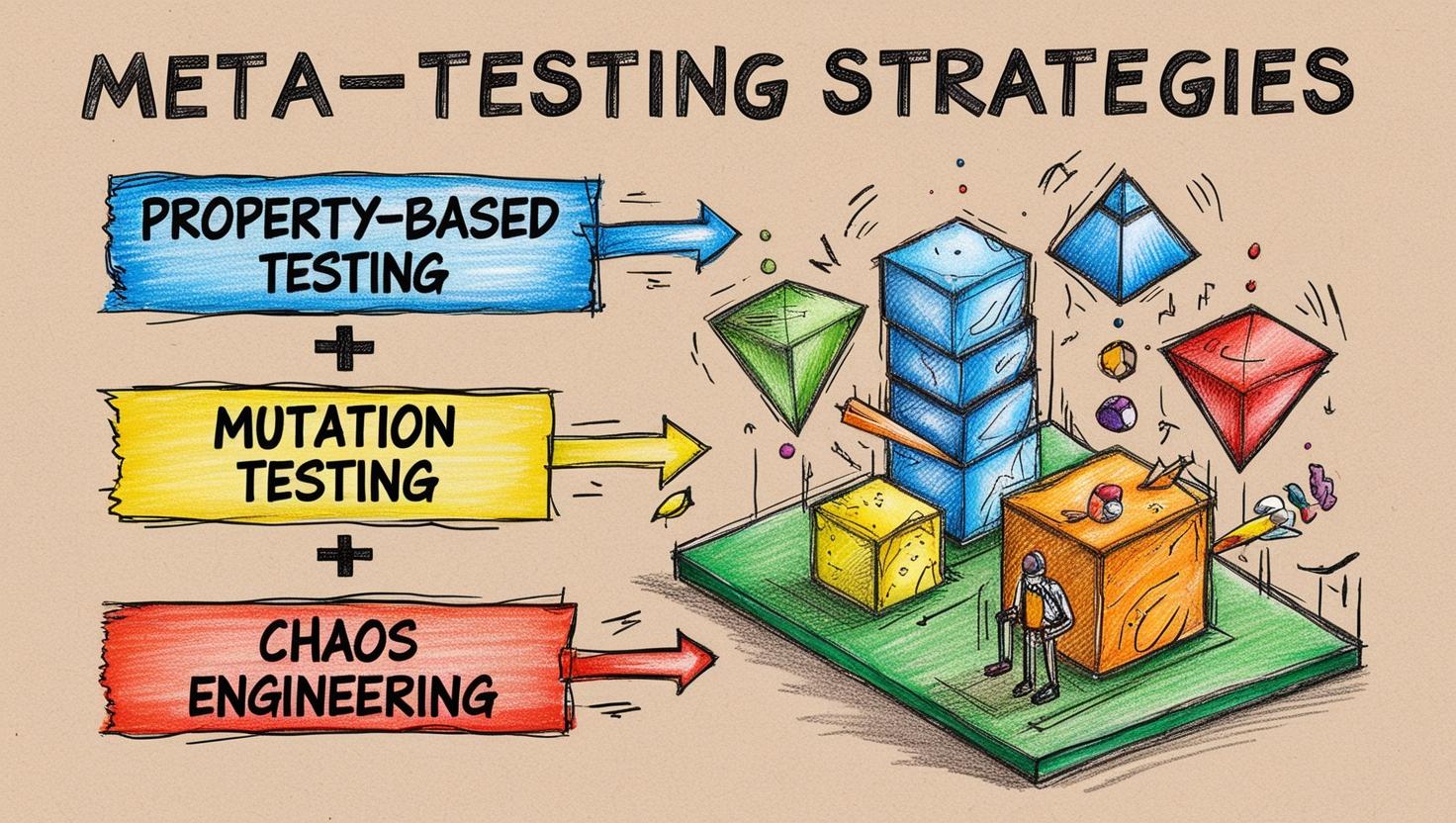
Exploring Techniques to Validate Logic, Test Suites, and System Resilience with Meta-Testing
Abstract
Testing is a cornerstone of software quality, yet traditional testing methods often leave gaps in logic validation, test suite robustness, and system resilience. This study explores advanced testing paradigms—Property-Based Testing (PBT), Mutation Analysis, and Chaos Engineering—with a focus on their individual contributions to software robustness. The study emphasizes JavaScript and its ecosystem, demonstrating practical applications of tools such as FastCheck, StrykerJS, and Gremlin.js. By evaluating these techniques independently, we uncover their unique strengths and propose a roadmap for effective testing strategies in modern software systems.
Index Terms: Testing strategies, Property-Based Testing, Mutation Testing, Chaos Engineering, JavaScript, FastCheck, StrykerJS, Gremlin.js, test suite validation, system resilience.
Introduction
Filling the Gaps: Why Testing Needs to Evolve
Software testing has long been a cornerstone of software development, playing a vital role in validating system functionality and reliability. However, as software systems grow in complexity—fueled by distributed architectures, dynamic deployment environments, and escalating user expectations—the limitations of traditional testing approaches have become increasingly evident. Below are some observed limitations that underscore the need for testing methodologies to evolve, ensuring they address the challenges of robustness, reliability, and resilience in modern software landscapes.
The Reactive Trap
Traditional testing, encompassing unit, integration, and end-to-end tests, operates on a foundation of predefined scenarios. While valuable for verifying known behaviors, this approach is inherently reactive, addressing only anticipated issues.
Challenge: Modern applications, particularly distributed systems, often encounter unpredictable states and edge cases. Consider a payment processing system:
function calculateDiscount(amount, discountPercentage) {
  if (discountPercentage < 0 || discountPercentage > 100) {
    throw new Error("Invalid discount percentage");
  }
  return amount * (1 - discountPercentage / 100);
}

// Traditional tests
console.log(calculateDiscount(100, 10)); // Expected: 90
console.log(calculateDiscount(200, 50)); // Expected: 100
Traditional tests might verify expected discounts (e.g., 10% off $100). However, they might miss edge cases like negative discountPercentage values, potentially leading to unexpected credits instead of debits. This reactive nature leaves systems vulnerable to unforeseen scenarios.
// Unhandled edge case
console.log(calculateDiscount(100, -10)); // Unexpected: 110
The Illusion of Coverage
Code coverage metrics, such as statement or branch coverage, are often used to assess test completeness. However, high coverage can be deceptive, masking underlying vulnerabilities.
Example: A function validating user input might achieve 100% statement coverage but fail to handle unexpected data types or malicious injections:
function validateInput(input) {
  if (typeof input !== "string") {
    throw new Error("Invalid input type");
  }
  if (input.length > 10) {
    return "Input too long";
  }
  return "Valid input";
}

// Tests
console.log(validateInput("ValidInput")); // Expected: "Valid input"
console.log(validateInput("TooLongInput123")); // Expected: "Input too long"
If tests only provide string inputs, vulnerabilities related to input being an object or an array could remain hidden, despite high coverage:
// Missed edge cases
console.log(validateInput({})); // Throws: "Invalid input type"
console.log(validateInput([1, 2, 3])); // Throws: "Invalid input type"
This highlights the need for tests that explore a wider range of possibilities.
The Dynamic Environment Conundrum
Today’s applications operate in highly dynamic environments – cloud-native architectures, microservices, serverless platforms. Traditional testing struggles to replicate these real-world conditions.
Challenge: Simulating network latency, resource exhaustion, or concurrent user interactions within a traditional testing framework is complex.
Example: Imagine a microservice relying on a message queue. Traditional tests might not adequately simulate message delays or queue failures, potentially leading to untested error handling paths and cascading failures in production:
async function processMessage(queue) {
  const message = await queue.receive();
  if (!message) {
    throw new Error("Queue is empty");
  }
  console.log("Processing message:", message);
}

// Simulating queue delays or failure scenarios
jest.spyOn(queue, "receive").mockImplementation(async () => {
  await new Promise((resolve) => setTimeout(resolve, 5000)); // Simulate delay
  return null; // Simulate queue failure
});
The Human Factor
Many testing processes rely heavily on human intuition to identify test scenarios. This introduces inherent biases and potential blind spots.
Example: Developers might assume user inputs are always well-formed, neglecting to test for malformed data or injection attacks. This can lead to vulnerabilities like SQL injection:
SELECT * FROM users WHERE username = ' + userInput + 'If userInput is maliciously crafted, it could allow unauthorized data access:
const userInput = "john_doe";
// Expected query: SELECT * FROM users WHERE username = 'john_doe'

const userInput = "' OR 1=1; --";
// Results in: SELECT * FROM users WHERE username = '' OR 1=1; --
// Potentially exposes all users in the database
Human-centric test design can inadvertently omit critical security considerations.
Why Evolve?
The limitations of traditional testing highlight the need for modern approaches to address today’s software challenges:
- Complex Interactions in Systems
Distributed architectures and asynchronous processes introduce interdependencies that traditional unit-focused testing cannot handle. Modern testing must account for failure propagation, race conditions, and cascading effects. - High Availability and Resilience
Critical industries demand fault tolerance and graceful degradation under failures. Testing must go beyond the “happy path” to validate resilience, which traditional methods often neglect. - Accelerated Development Cycles
Agile and DevOps require rapid iterations with continuous delivery. Automated, scalable testing frameworks are essential to prevent traditional, manual methods from becoming bottlenecks. - Security Imperative
Cyberattacks necessitate integrating fuzzing, vulnerability analysis, and penetration testing into the testing process. Functional testing alone is insufficient to address today’s sophisticated threats.
Modern testing approaches must evolve to ensure systems are robust, secure, and reliable in an ever-changing software landscape.
Emerging Paradigms in Testing
To address these challenges, new testing paradigms are emerging:
- Proactive vs. Reactive Testing: Shifting from reactive, example-based tests to proactive approaches like Property-Based Testing (PBT), which systematically explore a wider range of inputs.
- System-Wide Resilience Testing: Moving beyond isolated component testing to techniques like Chaos Engineering, which validate system behavior under turbulent conditions.
- Enhanced Test Quality with Mutation Testing: Improving test suite effectiveness by injecting faults and measuring their ability to detect these changes.
- Intelligent Testing Automation: Leveraging AI-driven tools to identify patterns, generate tests, and optimize execution dynamically.
Meta-testing techniques, such as Property-Based Testing, Mutation Testing, and Chaos Engineering, are crucial in bridging these gaps and ensuring software quality in this evolving landscape.
The Role of Meta-Testing in Closing the Gaps
Meta-testing techniques provide a powerful arsenal to address the limitations of traditional testing and ensure software quality in today’s complex landscape. Here’s how they fill the gaps:
- Property-Based Testing (PBT): Proactively explores edge cases by validating generalized properties against a wide range of inputs.
- Example: Ensuring a sorting algorithm maintains order regardless of input type or size.
- Mutation Testing: Improves test suite robustness by measuring its ability to detect artificially injected faults.
- Example: Detecting weak test cases in a critical authentication module.
- Chaos Engineering: Builds system resilience by injecting controlled failures to observe recovery mechanisms.
- Example: Simulating database unavailability to test API fallback mechanisms.
These methodologies shift the focus from merely verifying correctness to ensuring robustness, reliability, and fault tolerance across diverse scenarios.
Property-Based Testing (PBT)
What is Property-Based Testing (PBT)?
Property-Based Testing (PBT) is a paradigm that focuses on validating the fundamental properties of a function or system against a broad range of automatically generated inputs. This differs significantly from other testing approaches, which rely on manually defined test cases.
To understand how PBT stands out, let’s evaluate the function validateRegistrationData using different testing approaches: Unit Tests, End-to-End (E2E) Tests, Behavioral Testing, and PBT.
function validateRegistrationData(data) {
  if (
    !data.username ||
    data.username.length < 3 ||
    !data.password ||
    data.password.length < 8 ||
    data.password !== data.confirmPassword
  ) {
    return false;
  }

  // Check if username contains only alphanumeric characters and underscores
  if (!/^[a-zA-Z0-9_]+$/.test(data.username)) {
    return false;
  }

  return true;
}
This function validates a user registration object, ensuring:
- The username is at least 3 characters long and contains only alphanumeric characters or underscores.
- The password is at least 8 characters long and matches the confirmation password.
Unit Testing
Unit tests focus on individual scenarios, verifying that the function produces expected outputs for predefined inputs.
// Valid cases
console.log(
  validateRegistrationData({
    username: "user_123",
    password: "password123",
    confirmPassword: "password123",
  })
); // Expected: true

// Invalid cases
console.log(
  validateRegistrationData({
    username: "us",
    password: "password123",
    confirmPassword: "password123",
  })
); // Expected: false (username too short)

console.log(
  validateRegistrationData({
    username: "user_123",
    password: "pass",
    confirmPassword: "pass",
  })
); // Expected: false (password too short)

console.log(
  validateRegistrationData({
    username: "user 123",
    password: "password123",
    confirmPassword: "password123",
  })
); // Expected: false (invalid username characters)
Limitations:
- Relies on the developer to anticipate edge cases.
- Fails to explore the full range of potential inputs.
- Time-intensive to manually write tests for all possible scenarios.
End-to-End (E2E) Testing
E2E testing verifies the function in the context of the entire registration process, ensuring the UI, backend, and database work together.
describe("Registration Process", () => {
  it("should allow valid user registration", () => {
    cy.visit("/register");
    cy.get("#username").type("user_123");
    cy.get("#password").type("password123");
    cy.get("#confirmPassword").type("password123");
    cy.get("#registerButton").click();
    cy.contains("Registration successful");
  });

  it("should show an error for invalid username", () => {
    cy.visit("/register");
    cy.get("#username").type("us");
    cy.get("#password").type("password123");
    cy.get("#confirmPassword").type("password123");
    cy.get("#registerButton").click();
    cy.contains("Invalid username");
  });
});
Limitations:
- Slower to run compared to unit tests.
- Limited by predefined scenarios.
- Dependent on the surrounding system (e.g., UI, backend), which might introduce unrelated failures.
Behavioral Testing
Behavioral testing defines high-level user scenarios to ensure the system behaves as expected for typical user workflows.
Feature: User Registration

Scenario: Successful Registration
  Given the user enters "user_123" as the username
  And "password123" as the password
  And "password123" as the confirmation password
  When they click "Register"
  Then the system should accept the registration

Scenario: Invalid Username
  Given the user enters "us" as the username
  And "password123" as the password
  And "password123" as the confirmation password
  When they click "Register"
  Then the system should display an error message "Invalid username"
Limitations:
- Focused on expected user behaviors, ignoring unexpected inputs.
- Coverage is limited by the user stories and scenarios defined.
Property-Based Testing (PBT)
Property-Based Testing (PBT) focuses on defining general properties that a function should always satisfy, regardless of the specific inputs. Instead of manually writing test cases, we describe invariants—rules or properties that must hold true for all valid inputs.
For the validateRegistrationData function, we can define the following properties:
- Property 1: If all inputs are valid, the function should return
true. - Property 2: If any input is invalid, the function should return
false. - Property 3: No input should cause the function to crash.
Property 1: Valid Inputs Always Return true
To test this property, we define the expected shape of valid inputs:
username: A string with at least 3 alphanumeric characters or underscores.password: A string with at least 8 characters that matchesconfirmPassword.
We then verify that for all such inputs, the function consistently returns true:
const validInputs = [
  { username: "valid_user", password: "securePass1", confirmPassword: "securePass1" },
  { username: "user123", password: "password8", confirmPassword: "password8" },
];

for (const input of validInputs) {
  console.assert(validateRegistrationData(input) === true, `Failed for input: ${JSON.stringify(input)}`);
}
This ensures the function correctly validates valid data. However, this approach still requires manually specifying valid inputs.
Property 2: Invalid Inputs Always Return false
To test this property, we systematically generate invalid inputs that violate one or more constraints. For example:
- Invalid
username: Too short or contains characters other than alphanumerics or underscores. - Invalid
password: Too short or doesn’t matchconfirmPassword.
The function should return false for all such cases:
const invalidInputs = [
  { username: "us", password: "securePass1", confirmPassword: "securePass1" }, // Short username
  { username: "invalid@user", password: "securePass1", confirmPassword: "securePass1" }, // Invalid characters
  { username: "valid_user", password: "short", confirmPassword: "short" }, // Short password
  { username: "valid_user", password: "password123", confirmPassword: "password321" }, // Mismatched passwords
];

for (const input of invalidInputs) {
  console.assert(validateRegistrationData(input) === false, `Failed for input: ${JSON.stringify(input)}`);
}
This approach covers a range of invalid inputs, but it requires careful thought to define all possible invalid cases, which can be error-prone.
Property 3: No Input Should Cause a Crash
To ensure the function is resilient to unexpected inputs, we test edge cases such as null, undefined, empty objects, or completely malformed data. The function should gracefully handle these inputs without crashing:
const edgeCases = [
  null,
  undefined,
  {}, // Empty object
  { username: null, password: null, confirmPassword: null }, // Null fields
  { username: 123, password: 123, confirmPassword: 123 }, // Non-string fields
];

for (const input of edgeCases) {
  try {
    validateRegistrationData(input);
  } catch (e) {
    console.error(`Function crashed for input: ${JSON.stringify(input)}`, e);
  }
}
By ensuring the function doesn’t throw errors, we validate its robustness against malformed or incomplete inputs.
PBT Simplified: Defining the Input ‘Shape’
PBT can be thought of as defining the shape of inputs—specifying their:
- Name: Input parameter names (e.g.,
username,password). - Type: The data type of each parameter (e.g.,
string,number). - Value Constraints: Restrictions on input values, such as length, allowed characters, or numeric ranges.
- Invariant Rule: The property or rule that must always hold true for any valid input data (e.g., “A username must contain only alphanumeric characters and underscores”).
- Monkeying the Shape: Randomly generating diverse combinations of types and values within the defined shape to test the invariant.
PBT eliminates the need to manually generate inputs by systematically exploring the input space, covering scenarios that traditional unit tests might overlook. However, the examples above still rely on manual input generation.
In the next section, we’ll explore how tools like FastCheck can automate this process, generating test inputs, uncovering edge cases, and streamlining PBT to make it a practical and powerful approach for modern software development.
Deep Dive with FastCheck
FastCheck is a Property-Based Testing (PBT) framework for JavaScript that automates the generation of diverse inputs, validates properties, and systematically uncovers edge cases. To fully use its potential, it’s essential to understand its key concepts: properties, arbitraries, and shrinking. These components form the foundation of FastCheck and enable the systematic exploration of input spaces to uncover edge cases.
Properties
A property in FastCheck defines an invariant or rule that must always hold true for a given function or system under test. Properties describe the expected behavior of the system, independent of specific inputs.
Example: For a shopping cart discount calculation:
- Property: “The final price must always be greater than or equal to zero.”
- Expressed in FastCheck:javascriptCopier le code
fc.assert(
  fc.property(
    fc.record({
      cart: fc.array(
        fc.record({
          price: fc.integer({ min: 1, max: 1000 }),
          quantity: fc.integer({ min: 1, max: 10 }),
        })
      ),
      discountCode: fc.option(fc.record({ value: fc.integer({ min: 0, max: 5000 }) })),
    }),
    ({ cart, discountCode }) => calculateFinalPrice(cart, discountCode) >= 0
  )
);
Properties are the backbone of PBT, defining the behavior to be validated against diverse input scenarios.
Arbitraries
An arbitrary in FastCheck is a generator that produces random test inputs based on defined constraints. Arbitraries allow us to describe the “shape” of valid inputs, including their type, range, and structure.
Common Arbitraries in FastCheck:
- Primitive Types:
fc.integer(),fc.string(),fc.boolean(). - Complex Types:
fc.array(),fc.record(),fc.option(). - Custom Arbitraries: Define tailored inputs with specific constraints.
Example: Generating shopping cart data:
const cartArbitrary = fc.array(
  fc.record({
    price: fc.integer({ min: 1, max: 1000 }),
    quantity: fc.integer({ min: 1, max: 10 }),
  })
);

const discountCodeArbitrary = fc.option(fc.record({ value: fc.integer({ min: 0, max: 5000 }) }));

fc.assert(
  fc.property(
    fc.record({ cart: cartArbitrary, discountCode: discountCodeArbitrary }),
    ({ cart, discountCode }) => calculateFinalPrice(cart, discountCode) >= 0
  )
);
Arbitraries define the input domain for PBT, enabling systematic exploration of both valid and edge-case scenarios.
Shrinking
Shrinking is a mechanism that reduces a failing input to its smallest, simplest form while still causing the failure. This makes debugging more efficient by isolating the minimal set of conditions that break the property.
Example: Suppose a test fails for the following input:
{
  "cart": [
    { "price": 1000, "quantity": 1 },
    { "price": 10, "quantity": 2 }
  ],
  "discountCode": { "value": 1500 }
}
Through shrinking, FastCheck reduces the input to:
{
  "cart": [{ "price": 1000, "quantity": 1 }],
  "discountCode": { "value": 1001 }
}
This minimal case highlights that the function fails when the discount exceeds the total price of a single item.
fc.assert(
  fc.property(
    cartArbitrary,
    (cart) => {
      console.log('Cart:', JSON.stringify(cart));
      return calculateFinalPrice(cart, null) >= 0;
    }
  )
);
Shrinking simplifies debugging by focusing on the minimal input that violates the property, saving time and effort during failure analysis.
How These Concepts Work Together
- Define Properties: Specify the behavior or rule to validate (e.g., “Final price must not be negative”).
- Generate Inputs with Arbitraries: Use FastCheck to create random inputs conforming to defined constraints.
- Shrink Failing Inputs: Let FastCheck automatically reduce failing cases to minimal, manageable examples for debugging.
Bringing Concepts to Life: Testing Valid Inputs
With the key concepts of properties, arbitraries, and shrinking in mind, we can now test specific properties of the validateRegistrationData function.
Property 1: “Valid inputs should always return true.”
This property ensures that the function behaves correctly when provided with valid registration data. Using FastCheck, we can define the valid input structure and verify that the function consistently returns true for all such inputs.
import * as fc from 'fast-check';

fc.assert(
  fc.property(
    fc.record({
      username: fc.string({ minLength: 3, maxLength: 20, pattern: /^[a-zA-Z0-9_]*$/ }), // Valid usernames
      password: fc.string({ minLength: 8 }), // Valid passwords
      confirmPassword: fc.string({ minLength: 8 }) // Matching passwords
    }).filter((data) => data.password === data.confirmPassword), // Ensure passwords match
    (data) => {
      // Property: Valid inputs should return true
      return validateRegistrationData(data) === true;
    }
  )
);
Explanation:
- Input Shape:
username: Strings between 3 and 20 characters, containing only alphanumeric characters or underscores.passwordandconfirmPassword: Strings with at least 8 characters that match each other.
- Filter Condition: Ensures that
passwordmatchesconfirmPasswordfor valid input data. - Validation Rule: The
validateRegistrationDatafunction must returntruefor all inputs that conform to these constraints.
What Does This Test?
- The function handles diverse valid inputs correctly.
- Business rules, such as “username must be alphanumeric” and “passwords must match,” are enforced systematically.
- Edge cases within the valid input space (e.g., minimum length, special characters like underscores) are thoroughly explored.
Having confirmed that the function handles valid inputs as expected, the next step is to test invalid inputs. This ensures the function gracefully rejects incorrect data while adhering to its rules. We’ll leverage FastCheck to generate diverse invalid input scenarios, uncovering potential vulnerabilities and edge cases.
Property 2: “Invalid inputs should always return false.”
This property ensures that the function gracefully rejects invalid registration data. Using FastCheck, we can define a variety of invalid input shapes and verify that the function never returns true for such cases.
import * as fc from 'fast-check';

fc.assert(
  fc.property(
    fc.oneof(
      // Invalid username: Too short
      fc.record({
        username: fc.string({ maxLength: 2 }), // Less than 3 characters
        password: fc.string({ minLength: 8 }),
        confirmPassword: fc.string({ minLength: 8 }),
      }),

      // Invalid username: Contains disallowed characters
      fc.record({
        username: fc.string({ minLength: 3, maxLength: 20 }).filter((u) => !/^[a-zA-Z0-9_]+$/.test(u)),
        password: fc.string({ minLength: 8 }),
        confirmPassword: fc.string({ minLength: 8 }),
      }),

      // Invalid password: Too short
      fc.record({
        username: fc.string({ minLength: 3, maxLength: 20, pattern: /^[a-zA-Z0-9_]*$/ }),
        password: fc.string({ maxLength: 7 }), // Less than 8 characters
        confirmPassword: fc.string({ maxLength: 7 }),
      }),

      // Invalid password: Does not match confirmPassword
      fc.record({
        username: fc.string({ minLength: 3, maxLength: 20, pattern: /^[a-zA-Z0-9_]*$/ }),
        password: fc.string({ minLength: 8 }),
        confirmPassword: fc.string({ minLength: 8 }).filter((cp) => cp !== "Password123"), // Ensure mismatch
      })
    ),
    (data) => {
      // Property: Invalid inputs should return false
      return validateRegistrationData(data) === false;
    }
  )
);
Explanation:
- Invalid Input Scenarios:
- Usernames that are too short or contain invalid characters.
- Passwords that are too short or don’t match the
confirmPasswordfield.
- Input Generators: Use
fc.oneofto generate a variety of invalid input types in a single property. - Validation Rule: The
validateRegistrationDatafunction must returnfalsefor all invalid inputs.
What Does This Test?
- The function correctly enforces constraints for usernames and passwords.
- Edge cases, like empty usernames or partially valid inputs, are thoroughly explored.
- Invalid inputs do not cause the function to throw errors or return incorrect results.
Property 3: “No input should cause the function to crash.”
This property ensures the function can handle any input gracefully, even if the data is malformed or unexpected. The goal is to prevent runtime crashes and improve robustness.
fc.assert(
  fc.property(
    fc.anything(), // Generates completely random inputs
    (data) => {
      try {
        validateRegistrationData(data);
        return true; // No crash
      } catch (e) {
        console.error('Function crashed with input:', data);
        return false; // Fails if an exception is thrown
      }
    }
  )
);
Explanation:
- Input Shape: The
fc.anything()generator creates random values, includingnull,undefined, objects, arrays, and more. - Validation Rule: The function should never throw an exception, regardless of the input.
What Does This Test?
- The function is robust against unexpected or malformed data.
- Scenarios like missing fields (
username,password, etc.) and invalid data types (e.g., numbers instead of strings) are explored.
By testing these properties, we ensure that validateRegistrationData not only handles valid inputs but also rejects invalid ones and remains resilient in the face of unexpected or malformed data. These tests systematically uncover edge cases and vulnerabilities, making the function more robust and reliable.
FastCheck Integration
FastCheck seamlessly integrates with popular testing frameworks, enabling us to incorporate Property-Based Testing (PBT) into our existing workflows with minimal effort. Whether we use Node.js Test Runner, Jest, or Vitest, FastCheck adapts effortlessly to our setup.
- Node.js Test Runner
FastCheck works out-of-the-box with the native Node.js Test Runner.
📖 Read the guide for Node.js Test Runner integration - Jest
FastCheck integrates seamlessly with Jest, allowing us to combine PBT with our existing unit and integration tests.
📖 Read the guide for Jest integration - Vitest
For projects using Vitest, FastCheck offers support for modern, Vite-powered testing environments.
📖 Read the documentation for Vitest integration
Since FastCheck integrates directly with popular test runners, PBT tests can be executed alongside unit tests using standard commands like:
node --test // Node.js Test Runner
npx jest // Jest
npx vitest run // Vitest
This makes it easy to include property-based tests in CI/CD pipelines, ensuring automated testing and edge-case validation during every deployment.
FastCheck Capabilities
FastCheck extends beyond traditional Property-Based Testing (PBT), offering advanced capabilities that address complex testing needs. These include fuzzing, model-based testing, and race condition detection, empowering developers to validate robustness, explore edge cases, and ensure system resilience.
Fuzzing
Fuzzing generates random, unexpected, or malformed inputs to test how a system handles non-ideal conditions. This technique is particularly useful for identifying vulnerabilities or weaknesses.
Example Use Case: Validating the resilience of an API against malformed payloads:
fc.assert(
  fc.property(
    fc.string(), // Generate random strings as payloads
    (payload) => {
      try {
        myApiHandler(JSON.parse(payload));
        return true; // API should handle input or reject gracefully
      } catch {
        return false; // Should not crash
      }
    }
  )
);
Fuzzing uncovers edge cases and security vulnerabilities, such as injection attacks or unexpected crashes, that are often missed by conventional tests.
Model-Based Testing
Model-based testing uses a finite state machine or other abstract models to simulate real-world workflows and ensure the system behaves as expected under various transitions.
Example Use Case: Testing a user login/logout flow:
const model = {
  initialState: { loggedIn: false },
  transitions: [
    { input: 'login', predicate: (s) => !s.loggedIn, nextState: { loggedIn: true } },
    { input: 'logout', predicate: (s) => s.loggedIn, nextState: { loggedIn: false } },
  ],
};

fc.modelRun(fc.property(fc.commands(model)), (s) => {
  // Simulate each state transition and validate system behavior
  return validateState(s.state);
});
Model-based testing ensures the system adheres to expected workflows and gracefully handles invalid transitions, such as attempting to log out when not logged in.
Race Condition Detection
Race condition detection validates the behavior of concurrent systems, ensuring operations are consistent and free of unexpected interactions caused by timing issues.
Example Use Case: Testing a shared resource (e.g., a counter) in a multi-threaded environment:
fc.scheduleModelRun(
  fc.property(
    fc.commands([
      fc.constant(() => incrementCounter()),
      fc.constant(() => decrementCounter()),
    ]),
    (commands) => {
      const result = executeCommands(commands); // Simulate concurrent execution
      return validateFinalCounter(result); // Ensure consistency
    }
  )
);
This capability is crucial for distributed systems, ensuring they handle concurrency without data corruption or deadlocks.
FastCheck’s advanced capabilities—fuzzing, model-based testing, and race condition detection—extend beyond traditional PBT, providing a robust framework to uncover vulnerabilities, validate workflows, and ensure system resilience with minimal effort.
When, Where and When Not to Use PBT
Property-Based Testing (PBT) is a powerful approach, but its effectiveness depends on identifying scenarios where it offers the most value. While traditional testing methods are suitable for well-defined examples, PBT shines in cases requiring broader exploration and resilience validation.
When to Use Property-Based Testing (PBT)
Property-Based Testing (PBT) is ideal for scenarios requiring systematic input exploration, uncovering edge cases, and validating general invariants. It shines in situations where traditional example-based testing may miss critical issues. Below are key scenarios where PBT proves most effective:
- Complex Input Spaces
PBT efficiently tests functions with vast or diverse input domains that are impractical to cover manually.- Example: Compression algorithms handling strings of varying lengths and encodings.
- Edge Case Discovery
PBT systematically uncovers hidden edge cases that are often overlooked in example-based testing.- Example: Financial calculators with extreme decimal values or very large numbers.
- Invariant Validation
PBT is ideal when correctness can be expressed as properties that must hold true regardless of input.- Example: Sorting algorithms where the output must always be ordered.
- Stateful Systems
PBT validates complex state transitions and workflows.- Example: Finite state machines in authentication systems.
- Performance Testing Under Diverse Conditions
PBT ensures robustness against a wide range of unpredictable inputs.- Example: API handling various payload sizes, query parameters, and headers.
PBT’s systematic input generation and validation capabilities make it a powerful tool for ensuring software robustness and reliability in diverse scenarios.
Where to Use Property-Based Testing (PBT)
Property-Based Testing (PBT) is versatile but particularly effective in certain domains and systems where its strengths align with critical needs. Below are key application areas where PBT delivers exceptional value:
- Algorithms and Data Structures
PBT validates correctness across diverse inputs, ensuring reliability and performance.- Example: Testing sorting algorithms or hash functions.
- Transformations and Serializations
Ensures data integrity during conversions and encodings.- Example: JSON serialization/deserialization pipelines.
- Mathematical or Logical Computations
Tests properties like commutativity or consistency in complex calculations.- Example: Matrix multiplications or arithmetic functions.
- APIs and Protocols
Verifies robustness against a variety of payloads and scenarios.- Example: REST API query parameters or GraphQL schemas.
- Stateful Systems
Validates correct state transitions and ensures no invalid states occur.- Example: Shopping carts or workflow engines.
- Security Testing
Identifies vulnerabilities by systematically exploring edge cases.- Example: Input sanitization or password validation logic.
PBT’s systematic exploration and invariance validation make it indispensable in these domains, enhancing software quality and robustness.
When Not to Use Property-Based Testing (PBT)
While PBT is powerful, some scenarios are better suited for traditional testing methods. Here are key situations where PBT may not be the best fit:
- Small Input Spaces
When inputs are limited and well-defined, example-based tests can cover all cases effectively.
Example: Validating a function that checks fixed color values like["red", "green", "blue"]. - No Clear Invariant
PBT requires general properties to validate correctness. Without a measurable invariant, it’s difficult to apply.
Example: Testing UI rendering, where correctness depends on visual factors. - High Computational Cost
Generating thousands of inputs can strain resources, especially for time-intensive operations.
Example: Testing functions that process large datasets or rely on external APIs. - Context-Dependent Behavior
Systems heavily influenced by real-time external data are challenging to model for PBT.
Example: APIs that respond based on live stock market data. - Team Familiarity
Teams unfamiliar with PBT may face a steep learning curve, making it harder to implement effectively.
Example: New teams without prior experience or adequate training.
PBT excels in many scenarios, but for small inputs, subjective outcomes, or resource-heavy tasks, traditional testing might be more practical.
Challenges and Recommendations for Property-Based Testing (PBT)
While PBT is a powerful testing approach, applying it effectively comes with its own challenges. Here’s a concise breakdown:
- Defining Properties
Identifying meaningful rules for complex systems can be tricky.
Recommendation: Break the system into smaller parts and focus on simple invariants for each. - Debugging Failures
Pinpointing issues in large or nested inputs is time-consuming.
Recommendation: Leverage shrinking to isolate minimal failing cases and add logs for context. - Performance Overhead
Testing hundreds of inputs can strain resources for heavy computations.
Recommendation: Limit runs locally (numRuns) and parallelize in CI pipelines. - Managing Randomness
Random input generation can lead to flaky, non-reproducible tests.
Recommendation: Use fixed seeds to ensure consistent results and log seeds for debugging. - Learning Curve
Concepts like properties, arbitraries, and shrinking can be daunting for new teams.
Recommendation: Start with simple examples, provide training, and document best practices. - Workflow Integration
Adding PBT to established workflows may disrupt existing processes.
Recommendation: Introduce PBT incrementally and run it alongside traditional tests.
By addressing these challenges, we can seamlessly integrate PBT into our workflows, unlocking its full potential for uncovering edge cases and ensuring robustness.
Mutation Testing
What is Mutation Testing?
Mutation Testing is a technique to evaluate the quality of a test suite by introducing small changes (mutations) to the code and observing whether the tests detect and fail these modifications. These mutations simulate common programming errors, such as replacing a + with a - or changing a condition from > to <.
The goal is to assess how well the tests can detect these injected faults, which reflects their ability to catch real-world bugs.
Key Concepts
- Mutants: Mutants are modified versions of the original code, each introducing a single, small change to simulate typical programming errors.
- Example: Changing
return a + b;toreturn a - b;.
- Example: Changing
- Mutation Operators: Mutation operators define the rules for generating mutants. These operators simulate common code modifications:
- Arithmetic Operator Changes:
+→-,*→/. - Literal Replacements:
true→false,1→0. - Control Flow Changes: Removing a
returnstatement or skipping a loop.
- Arithmetic Operator Changes:
- Kill Rate: A mutant is “killed” when the test suite fails because of the mutation. The kill rate measures how many mutants are detected:
- Kill Rate = (Killed Mutants / Total Mutants) * 100
- Example: If 90 out of 100 mutants are killed, the kill rate is 90%.
- Survivors: Survivors are mutants that are not detected by the test suite, indicating potential weaknesses or untested paths.
- Mutation Score: The Mutation Score provides a comprehensive metric for test suite effectiveness:
- Mutation Score = (Killed Mutants / Total Mutants) * 100
- High Mutation Score: Indicates strong test coverage and robustness.
- Low Mutation Score: Suggests missing tests or weak coverage.
Original Code
     |
     v
Generate Mutants (Modify Code using Mutation Operators)
     |
     v
Run Test Suite on Each Mutant
     |
     +-----------------------+
     |                       |
     |                       v
Mutant Killed        Mutant Survived
  (Tests Fail)         (Tests Pass)
     |                       |
     v                       v
Count as Killed    Identify Test Weaknesses
     |
     v
   Calculate Mutation Score:
   (Killed Mutants / Total Mutants) * 100
This schema provides a clear and concise view of how Mutation Testing works, from generating mutants to evaluating test effectiveness.
Deep Dive with StrykerJS
StrykerJS is a powerful Mutation Testing framework for JavaScript and TypeScript. It automates the generation of mutants, executes our test suite against these mutants, and highlights gaps in test coverage. By injecting simulated faults into the code, StrykerJS enables us to strengthen our tests and improve code quality.
How StrykerJS Works: A Practical Example
To see StrykerJS in action, let’s test a function that calculates discounts based on a total price and a discount value:
function calculateDiscount(totalPrice, discount) {
  if (discount > totalPrice) {
    return 0; // Prevent discounts larger than the total price
  }
  return totalPrice - discount;
}
Initial Test Suite
test('applies valid discount correctly', () => {
  expect(calculateDiscount(100, 20)).toBe(80);
});

test('returns 0 when discount exceeds total price', () => {
  expect(calculateDiscount(100, 120)).toBe(0);
});
At first glance, this test suite seems sufficient. However, running StrykerJS may expose untested edge cases.
Mutant Analysis
Mutant 1: Replace discount > totalPrice with discount < totalPrice.
if (discount < totalPrice) { ... }Outcome: Killed. The test for discount > totalPrice correctly detects this mutation.
Mutant 2: Remove the return 0 statement.
if (discount > totalPrice) { }Outcome: Survived. The test suite doesn’t verify unintended behavior when discount > totalPrice.
Improving the Test Suite
To handle Mutant 2, we add a test case to ensure proper behavior when the discount exceeds the total price:
test('ensures no unintended return value when discount exceeds total price', () => {
  expect(calculateDiscount(100, 200)).toBe(0);
});
Rerunning StrykerJS now kills all mutants, boosting the Mutation Score and improving test robustness.
For installation instructions and a full list of supported mutators, refer to the StrykerJS documentation.
StrykerJS Integration
StrykerJS integrates seamlessly into various environments using a configuration file, plugins, and its CLI. Here’s how it works:
- Configuration File (
stryker.conf.json): Defines mutation testing settings, including files to mutate, test runners, thresholds, and reporters. Learn more about configuration and available options. - Plugins: Extend functionality with test runners (e.g., Vitest Runner), checkers (e.g., TypeScript Checker), and more. Explore available plugins.
- CLI: The StrykerJS CLI, available as an npm package, simplifies running Mutation Testing. With its compatibility with various test runners, integrating StrykerJS into CI/CD pipelines is straightforward. Learn more about the CLI.
For additional resources and documentation, visit the official StrykerJS site.
StrykerJS Capabilities
StrykerJS offers advanced features that optimize Mutation Testing for modern development workflows. Its core capabilities include:
- Incremental Mutation Testing:
StrykerJS tracks previous results to only re-test affected mutants, reducing execution time and improving efficiency in CI/CD pipelines and large codebases. Learn more. - Parallel Workers:
By distributing mutants across multiple CPU cores, StrykerJS enables parallel test execution, significantly reducing runtime for large projects. Learn more. - Real-Time Reporting:
Provides live updates on mutation progress using Server-Sent Events (SSE), allowing immediate feedback and better debugging through dynamic reporting interfaces. Learn more. - Plugin Architecture:
Enables extensibility through custom plugins for test runners, checkers, and reporters, making it adaptable to various testing environments. Learn more.
These capabilities ensure that StrykerJS integrates seamlessly into modern testing workflows, offering speed, adaptability, and robust feedback. Explore more features in the official documentation.
When, Where and When Not to Use Mutation Testing
When to Use Mutation Testing
- Test Suite Validation:
- Use Mutation Testing to assess the quality of the test suite. Be careful: good coverage metrics (e.g., 100% statement coverage) do not guarantee a robust test suite.
- Critical Components:
- Apply Mutation Testing to high-stakes areas such as authentication, financial transactions, or API logic, where failures are costly.
- Refactoring and Legacy Code:
- Use it during refactoring to ensure the existing test suite still effectively validates the code. For legacy systems, Mutation Testing highlights weak spots when adding tests.
- CI/CD Pipelines:
- Include Mutation Testing in CI/CD pipelines for projects where reliability is paramount to catch regressions early.
Where to Use Mutation Testing
- Back-End Systems:
- Test business logic, database interactions, and API endpoints to ensure robust handling of edge cases.
- Front-End Applications:
- Validate critical user-facing logic, such as form validation and data manipulation.
- Microservices:
- Assess inter-service communication and resilience to unexpected conditions.
- Libraries or Frameworks:
- Evaluate the stability of reusable components where faults could propagate widely.
When Not to Use Mutation Testing
- High-Performance Constraints:
- Avoid using Mutation Testing on performance-critical or time-sensitive CI/CD pipelines with large codebases.
- Exploratory or Prototyping Stages:
- Skip Mutation Testing for early-stage code where functionality is rapidly evolving and tests may not yet be stable.
- Low-Impact Code:
- For trivial or non-critical modules, Mutation Testing can be overkill and may waste resources.
- Code Without Tests:
- Mutation Testing assumes the presence of a test suite. If none exists, focus on writing meaningful tests first.
Mutation Testing is invaluable for identifying gaps in test suites and strengthening code quality. However, it’s essential to use it judiciously, focusing on critical and stable areas while balancing performance and resource constraints.
Challenges and Recommendations for Mutation Testing
While Mutation Testing is a powerful tool for evaluating test quality, it comes with specific challenges that require thoughtful strategies to address:
- Performance Overhead:
- Testing all mutants can strain resources, especially in large projects.
- Recommendation: Use incremental testing to focus on changed code, enable parallel workers to reduce runtime, and restrict Mutation Testing to critical modules.
- Debugging Survived Mutants:
- Identifying why a mutant survived can be time-consuming, especially in complex systems.
- Recommendation: Focus on mutants in critical paths, use logs to analyze test execution, and document patterns to streamline future debugging.
- Integration Complexity:
- Setting up Mutation Testing with custom workflows or test runners may require additional effort.
- Recommendation: Start with simple configurations and use plugins to streamline integration with frameworks like Vitest or Jest.
- High Learning Curve:
- Understanding Mutation Testing concepts like mutants, mutation operators, and kill rates can be challenging.
- Recommendation: Begin with small, well-defined modules, provide training, and use interactive reports to make results more accessible.
- Noise in Reports:
- Survived mutants from trivial or non-critical code paths can dilute actionable insights.
- Recommendation: Configure Mutation Testing to focus on high-impact code and exclude low-priority files.
By addressing these challenges with targeted strategies, Mutation Testing can be thoughtfully integrated into workflows, offering valuable insights to enhance test quality and strengthen software reliability.
Chaos Engineering
What is Chaos Engineering?
Chaos Engineering is a systematic approach to proactively testing the resilience of distributed systems by intentionally introducing controlled failures. It focuses on understanding how infrastructure and applications respond to unexpected disruptions, enabling teams to uncover vulnerabilities before they affect users.
Why is Chaos Engineering Essential?
- Complex Systems: Modern architectures, like cloud-native and microservices, are prone to unpredictable failures.
- Proactive Defense: By simulating real-world disruptions, Chaos Engineering helps identify weaknesses early.
- Resilience Building: Strengthens systems to recover quickly from incidents, minimizing downtime and customer impact.
Key Concepts
- Hypothesis-Based Testing
Define expected system behavior under specific failure scenarios, such as:
“If a database goes offline, the system will fall back to the cache layer without user disruption.” - Steady-State Validation
Measure and monitor system metrics—like latency, throughput, and error rates—before and during experiments to verify normal operation. - Realistic Failure Scenarios
Introduce faults that mimic real-world events: server crashes, network delays, or resource exhaustion. - Minimize Blast Radius
Start small, targeting individual components or limited regions, to prevent widespread impact. - Continuous Improvement
Learn from each experiment, refine processes, and iterate to build a more resilient infrastructure. - Automation
Integrate chaos experiments into CI/CD pipelines to ensure resilience is tested regularly and systematically.

Main Tools
| Tool | Platform | Description | Key Features |
|---|---|---|---|
| Chaos Monkey | AWS, Cloud | Simulates instance failures by randomly terminating services. | Simple fault injection; foundational chaos tool developed by Netflix. |
| Chaos Mesh | Kubernetes | Orchestrates chaos experiments in Kubernetes environments. | Supports network, CPU, and disk fault simulations; Kubernetes-native interface. |
| Gremlin | Multi-platform | SaaS solution for controlled chaos experiments across infrastructure. | Predefined scenarios; integrates with monitoring and observability tools. |
| LitmusChaos | Kubernetes | Open-source tool designed for chaos testing in cloud-native systems. | Pre-built experiment catalog; integrates with CI/CD pipelines. |
| Toxiproxy | Network Applications | Injects network faults like latency or packet loss to test service dependencies. | Lightweight and ideal for dependency resilience testing. |
| Chaos Toolkit | Multi-platform | Customizable framework for creating and running chaos experiments. | Extensible plugins; rollback and recovery mechanisms. |
| Azure Chaos Studio | Microsoft Azure | Simulates Azure-specific failures like VM or Kubernetes disruptions. | Tight integration with Azure services; fine-grained control over fault injection. |
These tools offer a range of capabilities tailored to different platforms and requirements, empowering organizations to systematically test and improve the resilience of their systems.
When, Where and When Not to Use Chaos Engineering
When to Use Chaos Engineering
Chaos Engineering is most effective when:
- Systems are distributed and complex: Modern architectures like microservices and cloud-native applications are inherently prone to unexpected failures.
- The goal is to improve resilience proactively: It helps uncover weaknesses before they turn into outages, ensuring a more robust system.
- High availability is critical: Industries such as e-commerce, finance, or healthcare, where downtime directly impacts revenue and trust, benefit significantly.
- Operations are scaling: Preparing systems for higher traffic or global reach necessitates testing for failure scenarios in advance.
Where to Use Chaos Engineering
Chaos Engineering can be applied:
- In production environments: Realistic conditions allow weaknesses to be identified effectively. Mature observability and rollback mechanisms are essential to minimize impact.
- In pre-production environments: Suitable for organizations new to chaos engineering or with lower risk tolerance. It is important to ensure that these environments closely mirror production.
- In CI/CD pipelines: Automating chaos experiments during deployment processes continuously validates system resilience.
When Not to Use Chaos Engineering
Chaos Engineering should be avoided in the following scenarios:
- When observability and recovery mechanisms are lacking: Without monitoring and rollback plans, chaos experiments can result in uncontrolled disruptions.
- When systems are unstable or poorly understood: Running experiments on fragile systems may introduce unnecessary risks or obscure root causes.
- If resources are insufficient: Chaos Engineering requires dedicated time, expertise, and infrastructure. A lack of these can hinder effective experiment management and analysis.
- During critical business periods: High-risk experiments should be avoided when customer trust is at stake, such as during a product launch or peak traffic times.
By strategically determining when and where to conduct chaos experiments, and acknowledging its limitations, systems can be strengthened while minimizing unnecessary risks.
Challenges and Recommendations for Chaos Engineering
While Chaos Engineering is a transformative practice for building resilient systems, it presents unique challenges that require careful planning and execution:
- Risk of Customer Impact:
- Introducing failures in production carries inherent risks of disrupting user experiences.
- Recommendation: Begin with controlled experiments in non-critical environments and implement robust rollback mechanisms to minimize potential harm.
- Cultural Resistance:
- Teams may hesitate to adopt practices perceived as risky or disruptive.
- Recommendation: Build trust by starting with small-scale experiments and highlighting successful outcomes, such as improved recovery times or reduced outages.
- Complexity of Distributed Systems:
- Mapping dependencies and understanding failure modes in complex architectures can be daunting.
- Recommendation: Use observability tools and dependency maps to identify critical components and prioritize high-risk areas for testing.
- Limited Observability:
- Insufficient monitoring makes it difficult to analyze system behavior during experiments.
- Recommendation: Ensure comprehensive observability, including logs, metrics, and traces, before running chaos experiments.
- Resource Constraints:
- Chaos experiments require time, expertise, and infrastructure.
- Recommendation: Automate experiments using tools like Chaos Mesh or Gremlin and focus on high-value scenarios to maximize efficiency.
- Iterative Maintenance:
- Evolving systems require constant updates to chaos scenarios and hypotheses.
- Recommendation: Integrate chaos engineering into CI/CD pipelines for continuous validation and iteration.
By addressing these challenges with targeted strategies, Chaos Engineering can be effectively implemented, enabling organizations to build robust systems capable of withstanding real-world disruptions.
Bridging the Techniques
Contrasting the Approaches
Meta-testing approaches such as Property-Based Testing, Mutation Testing, and Chaos Engineering share a common goal: ensuring robust and reliable systems by going beyond traditional testing methods. Each technique targets a unique aspect of software reliability:
| Aspect | Property-Based Testing (PBT) | Mutation Testing | Chaos Engineering |
|---|---|---|---|
| Scope | Focuses on validating logical correctness and invariants. | Evaluates the quality of test suites. | Tests system resilience under real-world stress. |
| Purpose | Ensures implementation adheres to expected properties. | Detects gaps in test coverage and suite effectiveness. | Builds confidence in handling unexpected failures. |
| Application Stage | Early development stages (unit or integration testing). | Mid to late development stages, improving test quality. | Late development or production environments. |
| Target | Uncovering edge cases and logical flaws. | Identifying weak or missing test cases. | Proactively addressing system vulnerabilities and failure modes. |
| Tools and Techniques | Libraries like fast-check or Hypothesis. | Frameworks like StrykerJS or Pitest. | Tools like Gremlin, Chaos Mesh, and LitmusChaos. |
| Focus Area | Code correctness and compliance with specified properties. | Strength of test suites against simulated faults. | Overall system robustness and real-world failure responses. |
These methods collectively strengthen software reliability by addressing different failure modes: logic flaws, test suite weaknesses, and system-level vulnerabilities.
Can They Complement Each Other?
Yes, these approaches can complement one another effectively:
- PBT + Mutation Testing: Property-based tests can be enhanced by Mutation Testing, ensuring the tests not only pass but also detect meaningful faults.
- Mutation Testing + Chaos Engineering: Chaos experiments can validate the robustness of test suites by simulating failures that test cases might overlook.
- PBT + Chaos Engineering: Property-based scenarios can guide the design of chaos experiments, ensuring real-world conditions align with logical expectations.
By combining these methods, organizations can achieve a holistic testing strategy, addressing both micro-level correctness and macro-level resilience, creating systems that are robust, reliable, and ready for real-world challenges
Meta-Testing in Other Ecosystems
Exploring Other Languages and Tools
Meta-testing techniques such as Mutation Testing, Property-Based Testing (PBT), and Chaos Engineering are not confined to specific programming languages or frameworks. Here’s how these approaches are implemented across various ecosystems:
| Language/Platform | Mutation Testing | Property-Based Testing (PBT) | Chaos Engineering |
|---|---|---|---|
| Java | PIT | JUnit-QuickCheck | Gremlin, Chaos Monkey |
| Python | MutPy | Hypothesis | Chaos Toolkit, Toxiproxy |
| C#/.NET | Stryker.NET | FsCheck | Gremlin, Azure Chaos Studio |
| Haskell | Not widely adopted | QuickCheck | Gremlin, Toxiproxy |
| Scala | Not widely adopted | ScalaCheck | Chaos Monkey, LitmusChaos |
| Ruby | Mutant | Rantly | Chaos Toolkit |
These ecosystems demonstrate the adaptability of meta-testing techniques, fostering improved quality and resilience across diverse programming environments.
Cross-Platform Chaos Engineering
Chaos Engineering transcends platforms to validate the reliability of distributed systems in various contexts:
- Cloud-Native Systems: Tools like Chaos Mesh and LitmusChaos simulate real-world failures in Kubernetes environments, addressing container orchestration challenges.
- Hybrid Architectures: Gremlin and Steadybit enable experiments across hybrid environments, integrating on-premises and cloud infrastructure.
- IoT Systems: Chaos Engineering for IoT involves stress-testing network reliability and hardware failures using tools like Toxiproxy for network simulation.
- Multi-Cloud Deployments: Tools such as AWS FIS and Azure Chaos Studio support chaos experiments tailored to specific cloud providers, ensuring resilience in complex multi-cloud setups.
Cross-platform Chaos Engineering highlights the importance of addressing unique infrastructure challenges while adopting a consistent methodology to identify and mitigate vulnerabilities.
Conclusion
Meta-testing represents a transformative approach to software quality, addressing gaps left by traditional methods. By integrating Property-Based Testing (PBT), Mutation Testing, and Chaos Engineering, organizations can build systems that are robust, reliable, and resilient in the face of modern software challenges.
- Property-Based Testing ensures correctness by systematically exploring edge cases and verifying invariants.
- Mutation Testing strengthens test suites, revealing weaknesses and untested paths.
- Chaos Engineering validates system resilience under real-world disruptions, uncovering vulnerabilities before they impact users.
Together, these approaches form a comprehensive testing strategy that spans code correctness, test robustness, and system-level reliability.
The future of meta-testing lies in automation, AI-driven enhancements, and cross-platform adaptability, enabling organizations to scale their testing efforts in complex, distributed environments. By leveraging these techniques, developers and testers can confidently build systems that meet the demands of today’s dynamic and interconnected digital world.
Embracing meta-testing is not just about improving software quality—it’s about fostering trust, delivering seamless user experiences, and ensuring systems are ready for the unexpected.
Leave a Reply